Revplies for Food & Beverage
Restaurants & Food Businesses
Pain Point
People usually decide where to eat quickly. They look at photos, check the latest reviews, confirm the hours, and make a choice. If a restaurant, café, bakery, or other food business looks inactive on Google, diners may simply choose the next option. An unanswered negative review can stand out even when the food is excellent. Keeping your Google Business Profile active, accurate, and responsive helps make sure the online experience reflects the real experience your team delivers every day.
Challenge
For restaurant groups, the problem is not limited to one profile. Several outlets can have very different customer experiences, and one location can start slipping while the rest of the group continues to perform well. Teams need to know whether diners are talking about food quality, specific dishes, service speed, hygiene, waiting time, or ambience. They also need a clear way to compare locations, keep every profile optimized for Google and AI discovery, and understand local SEO performance before falling sales become the first warning sign.
Solution
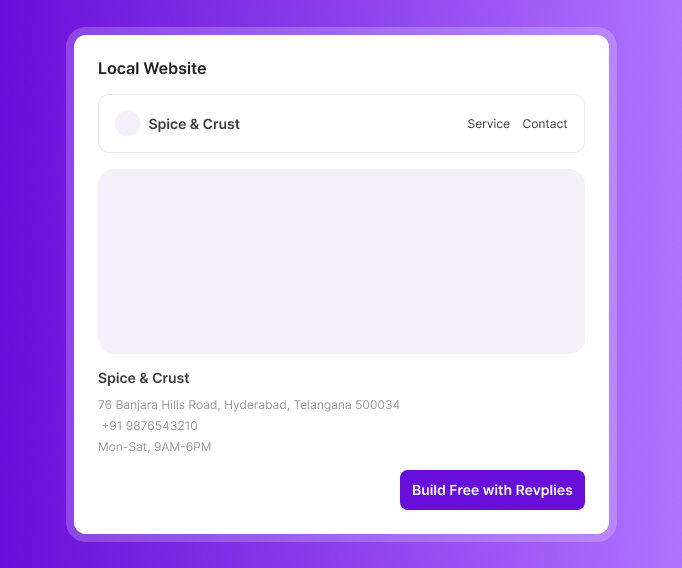
Revplies gives food and beverage businesses a central place to manage reviews, profile information, posts, reporting, and multiple outlets. Teams can respond to feedback even during busy service periods, keep menus and hours current, and see how individual outlets are performing. If an outlet does not have a website, Revplies can build one at no extra cost on any plan. This creates another useful touchpoint for diners and supports the wider local presence of the business.
How They Can Use Revplies

Review Management
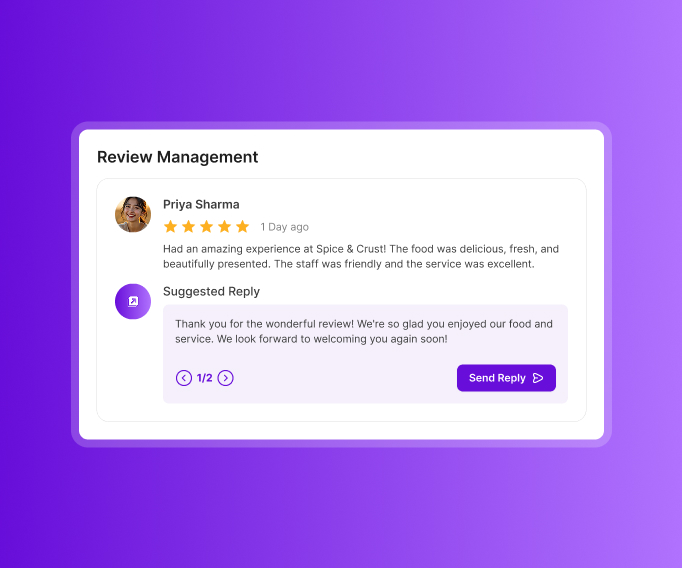
A diner is most likely to share feedback while the meal is still fresh in their mind. Revplies helps capture that feedback and keep the conversation going.
 Place a QR code on the table or at checkout so diners can leave a spoken review before they leave.
- Use AI-powered auto-replies or create and edit responses with AI assistance.
- Use sentiment analysis to spot recurring feedback about food, specific dishes, service speed, hygiene, ambience, and other parts of the experience.
- Use these patterns to understand what diners love and where your team can make the experience better.
Profile Optimization
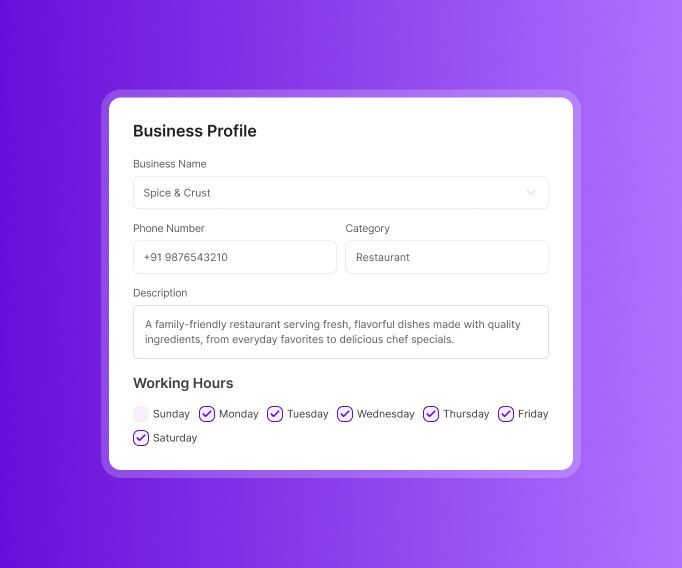
Hungry customers want useful information immediately. Make the profile easy to trust and easy to act on.
- Keep the name, address, phone number, business description, working hours, and opening date accurate.
- Add attributes such as outdoor seating, delivery, takeout, and wheelchair access where relevant.
- List your menu and services, the cuisine or dishes you specialize in, and your primary and secondary categories.
- Update the profile whenever menu items, hours, or services change so local SEO stays aligned with the current business.
Post Management
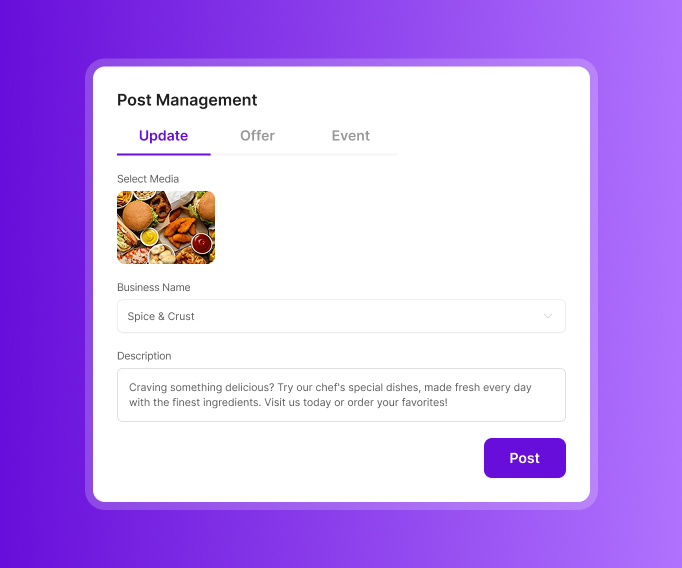
A busy restaurant should look active online too. Posts give diners a reason to come back and see what is new.
- Use Updates for new menu items, seasonal dishes, signature cuisine, testimonials, and answers to common questions.
- Use Offers for combo deals, discounts, and other promotions.
- Use Events for live music, festive specials, and other dining experiences.
- Keep the content useful and current so diners can see what is happening at the outlet right now.
Reports
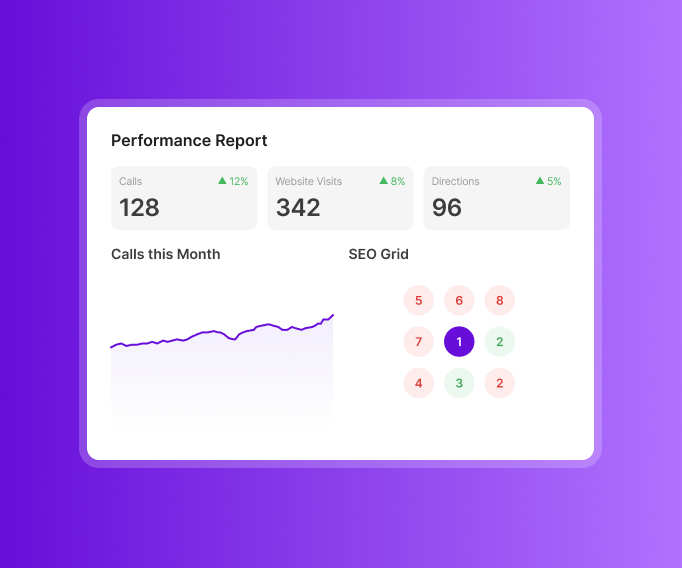
Reports turn customer feedback into information your team can use.
- Track calls, website visits, and direction requests.
- See review trends by star rating and understand how sentiment changes over time.
- Break sentiment down by food taste, service speed, cleanliness, and other important attributes.
- Use group reporting to bring together calls, visits, and reviews when staff members are mentioned.
- Compare your Google Maps visibility with nearby restaurants and see how rankings change around the neighborhood.
Local Website
An outlet without a website can get one through Revplies at no extra cost on any plan.
- Include opening hours, a description, menu information, and service details.
- Give diners another clear place to understand what the outlet offers.
- Local schema is included to add structured information that can support search visibility.
Ready to Grow Your Food & Beverage Business on Google?
Start 14 Days FREE Trial →No Card Required • Cancel Anytime
How Google Business Profile Management Works for Different Food & Beverage Businesses

 02.Google Business Profile management for Cafés
03.Google Business Profile management for Bakeries
04.Google Business Profile management for Fast Food Restaurants
05.Google Business Profile management for Pizza Restaurants
06.Google Business Profile management for Indian Restaurants
07.Google Business Profile management for Catering Businesses
08.Google Business Profile management for Bars
09.Google Business Profile management for Dessert Shops
02.Google Business Profile management for Cafés
03.Google Business Profile management for Bakeries
04.Google Business Profile management for Fast Food Restaurants
05.Google Business Profile management for Pizza Restaurants
06.Google Business Profile management for Indian Restaurants
07.Google Business Profile management for Catering Businesses
08.Google Business Profile management for Bars
09.Google Business Profile management for Dessert Shops
Frequently asked Questions (FAQ's)
Google is showing our menu and prices from DoorDash or Uber Eats instead of our website. How do we fix the source?


If google is fetching your menu and price from a online delivery apps instead of your official website then what you can do is override the auto-generated data by manually adding your correct menu from the Edit Profile by providing the correct items, Descriptions and official pricing, upload clear photos of your physical menu under photo section and disconnecting unauthorized third-party.
We're getting extorted. Someone is posting fake 1-star reviews and demanding a gift card to remove them. What should we do?
Yes, review bombing is a common and recurring scam targeting restaurants and other local businesses. What you can do is report to google by using the official Google Business profile Help to report negative reviews by providing the screenshots, timestamps of the messages demanding payment and extortion.
A customer uploaded a photo of the wrong dish or wrong location to our listing. Can we get it removed without their permission?
Yes, you can request for the removal of the uploaded photo without their permission by reporting it directly to Google through your profile but you can not directly delete content uploaded by the users, google first reviews the flag and decides whether it violates their content policies.
How do we set up a Google Business Profile for a food truck with no fixed address?
You can apply for service-area business through Google business profile by providing truck business name, food truck as primary category, enter your real private address for verification process, then add the specific cities, neighborhoods or zip codes where truck operates as your service area. For the profile verification process provide postcard or video verification from your private base address.
A rival restaurant reported us as permanently closed and Google took the listing down. How fast can we reverse it?
It is frustrating to be targeted by competitors like this. If your listing was simply marked as Permanently Closed, you can fix it by going to your Google Business Profile Dashboard and change the Status though it may take a few days to fully update across Google Search and Maps.
Weekly specials never update on our Google listing even though we update our website. Why is Google showing stale information?
No, Google does not automatically copy dynamic page text from your website to your Google Business Profile, you must manually publish them using Google specific post feature. There is no direct Sync google crawler just indexes your main website text from general search results and even for standard info changes, Google can take days or weeks to re-crawl your site and reflect the changes.