Revplies for Retail
Retail Stores
Pain Point
Shoppers often make a decision before they ever walk into a store. They may search for a product, check whether it is available, look at the store hours, read a few recent reviews, and then decide where to go. A Google Business Profile that has not been updated for months can create doubt even when the store itself is excellent. Old hours, unanswered reviews, and a lack of recent activity can make a business look less active than a competitor. Strong Google Business Profile management helps retailers make sure the online profile reflects the store customers will actually find when they visit.
Challenge
For a retailer with several locations, keeping every profile accurate and active becomes much harder. A team may know that one store is struggling, but without a consolidated view, it can take weeks or months to understand why. Customer feedback may point to product availability, staff behavior, checkout wait times, store cleanliness, or another issue. Teams also need to understand how each location is performing in local search and whether profiles are properly prepared for Google and AI discovery. A location can quietly lose visibility while the wider brand still appears healthy.
Solution
Revplies brings the important parts of local presence management into one dashboard. Retail teams can manage reviews, publish posts, update profile information, understand customer sentiment, and compare locations without checking each store separately. Stores without a website can also get one through Revplies at no extra cost on any plan. This gives shoppers another place to learn about the store and helps keep the brand's local presence consistent as it grows.
How They Can Use Revplies

Review Management
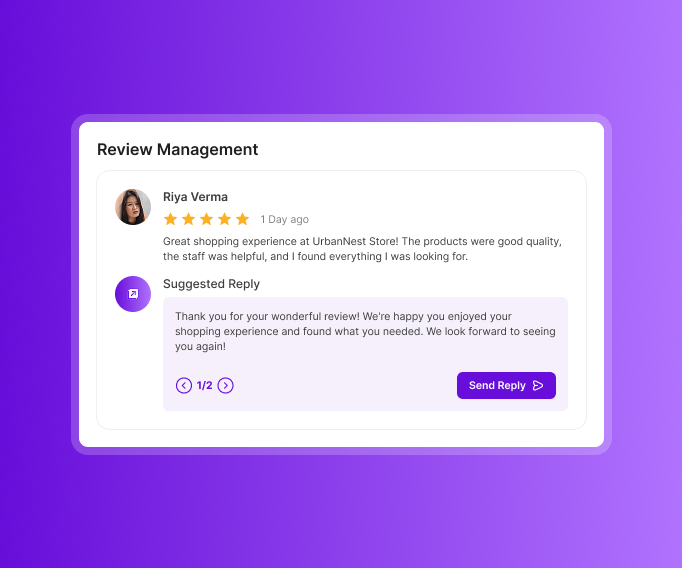
Make it simple for shoppers to share feedback while their experience is still fresh.
 Place a QR code near the checkout counter so a customer can leave a spoken review instead of typing one later.
- Use AI-powered auto-replies or create and edit replies with AI assistance so positive and negative feedback both receive an appropriate response.
- Use sentiment analysis to identify recurring feedback about products, staff behavior, checkout waits, stock availability, and other parts of the shopping experience.
- Use those patterns to understand what customers value and where a store may need to improve.
Profile Optimization
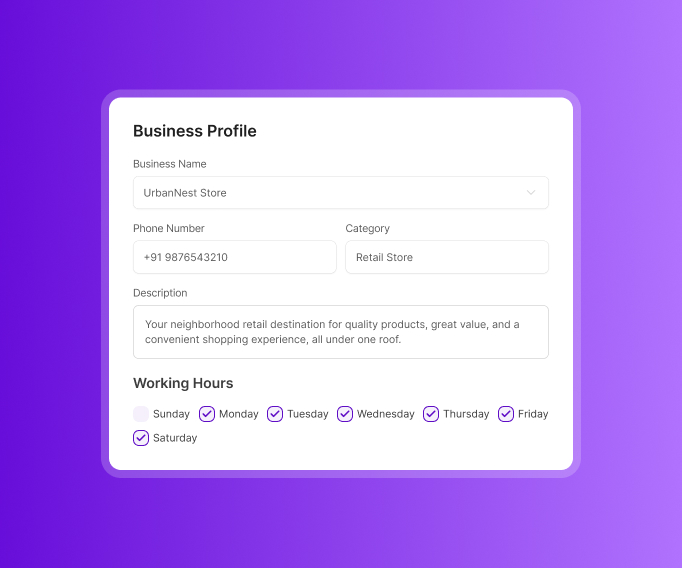
Shoppers need accurate information before they decide to make the trip.
- Keep the store name, address, phone number, business description, working hours, and opening date accurate.
- Add useful attributes such as parking, in-store pickup, and wheelchair access.
- List products, services, specialties, and primary and secondary business categories.
- Update details whenever the store changes so your local SEO reflects the business as it operates today.
Post Management
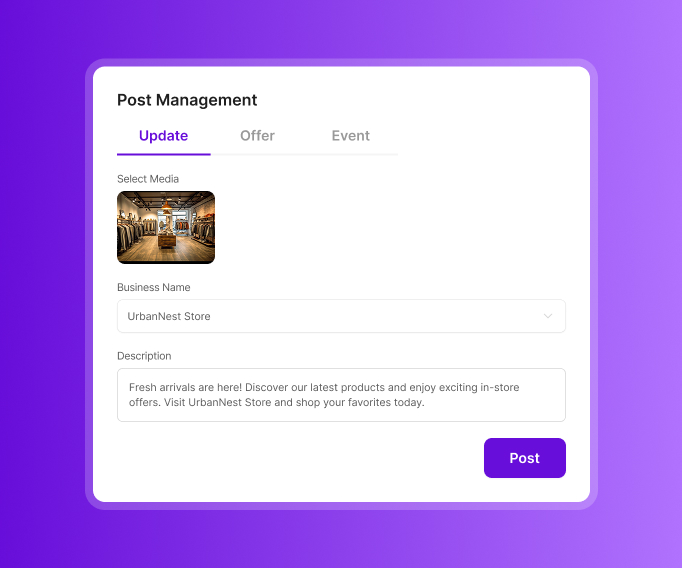
An active store should look active online too. Posts help shoppers see what is happening right now.
- Use Updates for new arrivals, restocked products, specialties, customer testimonials, and answers to common questions.
- Use Offers for clearance sales and festive discounts.
- Use Events for product launches, weekend sales, and other store events.
- Keep your profile moving with useful information instead of posting only when there is a major promotion.
Reports
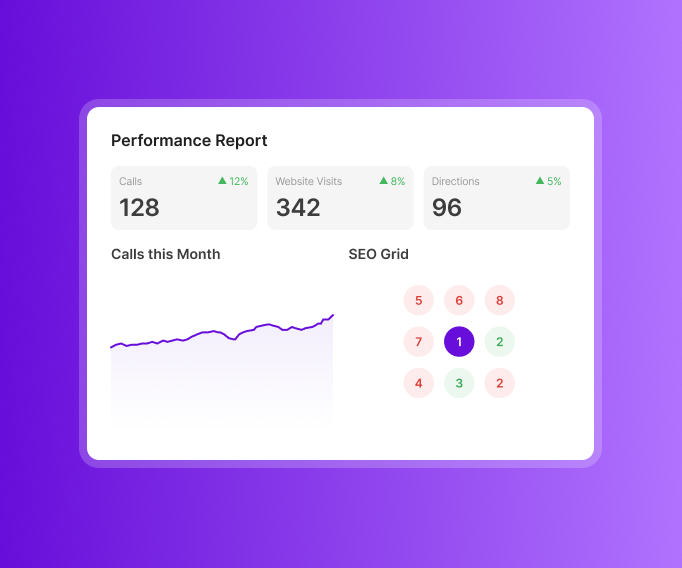
Reports give retail teams a clearer picture of what customers are doing and saying.
- Track calls, website visits, and direction requests for the date range you choose.
- See review trends by star rating and understand how sentiment changes over time.
- Break sentiment down by product quality, staff helpfulness, store cleanliness, and other important attributes.
- Use group reporting to bring together calls, visits, and reviews when a staff member is mentioned.
- Compare each store's Google Maps visibility with nearby competitors and see how rankings change around the area.
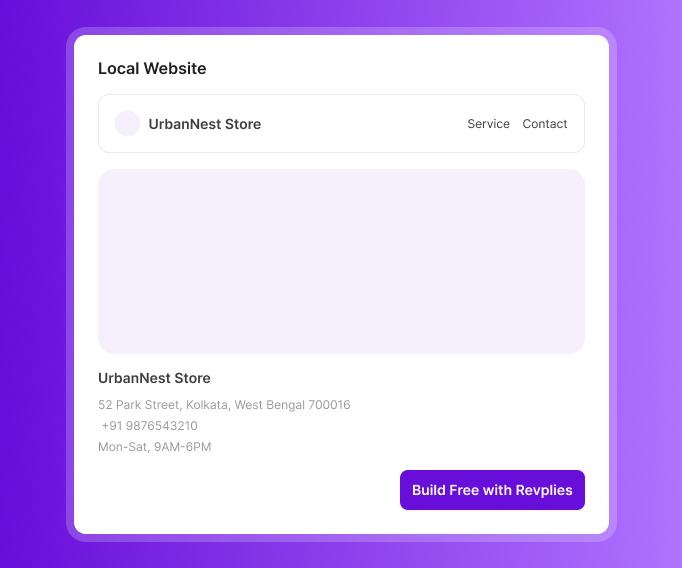
Local Website
A store without a website can get one through Revplies at no extra cost on any plan.
- Include opening hours, store information, and product or service details.
- Give customers a clear place to learn more before visiting.
- Local schema is included to add structured information that can help search engines understand the business.
Ready to Grow Your Retail Stores Business on Google?
Start 14 Days FREE Trial →No Card Required • Cancel Anytime
How Google Business Profile Management Works for Different Retail Categories

 02.Google Business Profile management for Clothing Stores
03.Google Business Profile management for Jewelry Stores
04.Google Business Profile management for Electronics Stores
05.Google Business Profile management for Furniture Stores
06.Google Business Profile management for Grocery Stores
07.Google Business Profile management for Pet Stores
08.Google Business Profile management for Bookstores
09.Google Business Profile management for Gift Shops
10.Google Business Profile management for Beauty Stores
02.Google Business Profile management for Clothing Stores
03.Google Business Profile management for Jewelry Stores
04.Google Business Profile management for Electronics Stores
05.Google Business Profile management for Furniture Stores
06.Google Business Profile management for Grocery Stores
07.Google Business Profile management for Pet Stores
08.Google Business Profile management for Bookstores
09.Google Business Profile management for Gift Shops
10.Google Business Profile management for Beauty Stores
Frequently asked Questions (FAQ's)
Someone submitted a fake "Suggest an Edit" and now Google shows our store as permanently closed. How do we reverse it quickly?


You can do two things: first, change your business status from close to open under your GMB profile or of you are unable to access your profile, then you can prepare all the documents (such as current storefront photos, active operating hours, and recent utility bills or updates on your official social media pages).
A stranger claiming to be from "Google Support" called offering to fix our closed listing for a fee. Is this a scam?
Yes, this is absolutely a scam call, google never calls you and demands payment to manage, verify, or fix your google business account. Creating and maintaining the google business profile is completely free.
A competitor keeps reporting our store as closed or duplicate to knock us out of the map pack. How do we stop this and get reinstated?
You can fill out the Google Business Redressal Compliant Form. This form routes reports directly to the spam, Fake and Fraud team. If it takes more than two weeks without a permanent fix, then post your case details, evidence, and your Redressal Case ID on the Google Business profile Help Community Forum.
Can we add our actual product catalog and prices directly to our Google Business Profile, and why don't updates show immediately?
Yes, you can add your products catalogue and prices directly using the google business profile, by clicking on the edit products and then add all your products by entering the name, category, price or price range, description and photo then the google review your upload or changes to ensure you have follow the google shopping ad policy. This can take a few hours and a few days.
Random users keep changing our store hours through "Suggest an Edit" without our approval. Can we prevent that?
No, you cannot completely disable or prevent random users from submitting Suggest an Edit requests on your google business profile. What you can do is you can turn on the alerts for Suggested edits so that you will know instantly when someone alters your details and if any unauthorized change goes live then login to your profile and correct or reject it right away.