Revplies for Service Area Businesses
Service Area Businesses
Pain Point
People rarely search for a plumber, electrician, cleaner, mover, lawyer, or other service provider when everything is going perfectly. They search when they need help, often urgently. At that moment, customers want a business that looks reliable, responsive, and ready to help. If a Google Business Profile has unanswered reviews, outdated details, or very little recent activity, a customer can lose confidence and call the next business instead. For service area businesses, strong Google Business Profile management helps turn that critical search moment into a real opportunity.
Challenge
The challenge grows when a business serves several neighborhoods, cities, or zip codes. A plumbing company, cleaning service, contractor, or professional service firm may have several crews working at the same time, yet the team may not have one clear view of performance across the territory. Reviews can reveal problems with workmanship, punctuality, pricing, communication, or customer service, but those patterns are easy to miss when feedback is spread across locations and time. Businesses also need to understand whether their profile is optimized for Google and AI discovery and how visibility changes from one service area to another.
Solution
Revplies gives service area businesses one place to manage their reputation and local visibility. Teams can collect voice reviews, respond to feedback, update profile information, publish useful posts, view reports, and compare competitors across the areas they serve. A business without a website can also get one through Revplies at no extra cost on any plan. The result is a more consistent online presence that can support the business whether it has one crew today or several crews and branches as it grows.
How They Can Use Revplies

Review Management
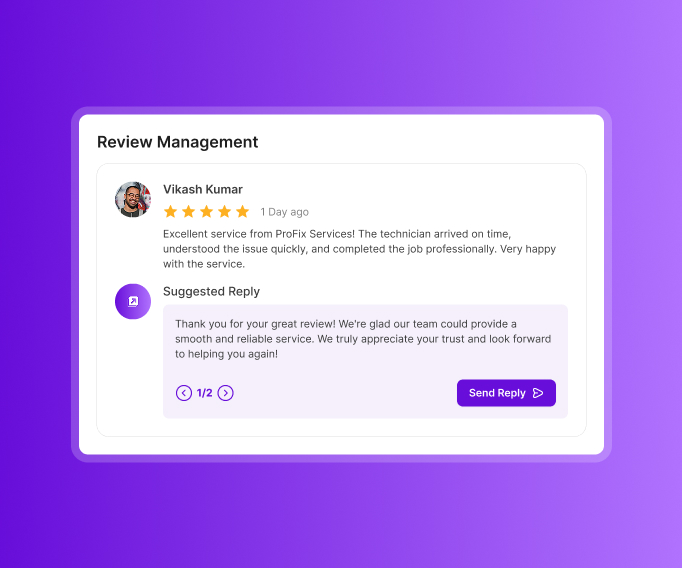
The best time to ask for feedback is usually right after the job is complete.
 Put a QR code on the invoice, job completion slip, or leave-behind card so the customer can speak a review while the experience is fresh.
- Use AI-powered replies or create and edit responses with AI assistance.
- Use sentiment analysis to identify patterns around workmanship, punctuality, pricing, communication, and other service concerns.
- Share recurring feedback with the people responsible for the work so reviews become useful input for improving the customer experience.
Profile Optimization
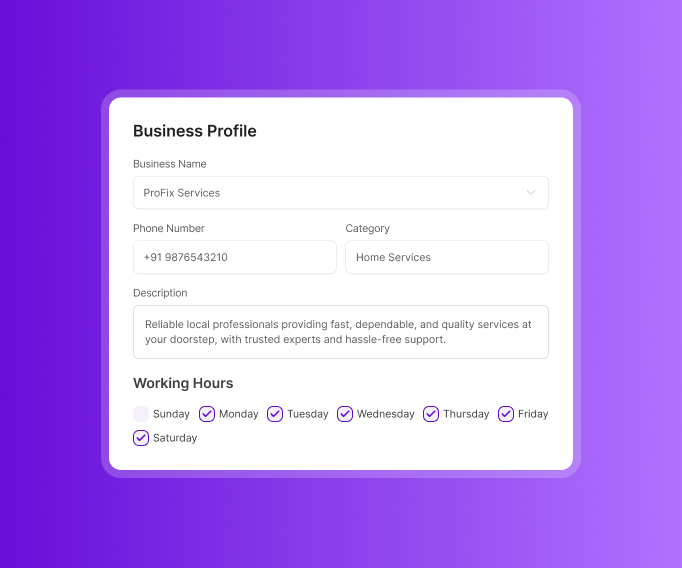
Customers need to know what you do, where you work, and how to reach you before they call.
- Keep the business name, phone number, description, hours, opening date, and service area accurate.
- List the neighborhoods, cities, and zip codes you actually serve.
- Add services, specialties, and primary and secondary categories.
- Include useful attributes such as emergency availability and free estimates when they apply.
- Update the profile whenever your service area or offering changes so local SEO matches the business today.
Post Management
A profile can look inactive even when the business is fully booked. Regular updates show customers what the business is actually doing.
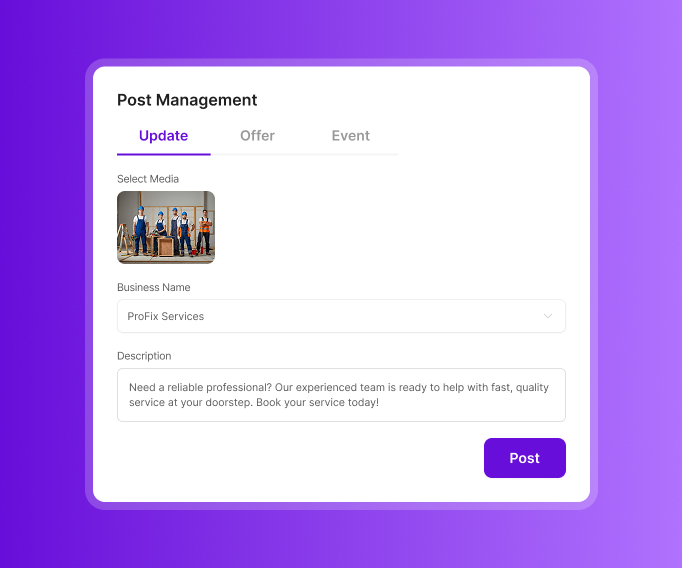
- Use Updates for services, completed projects, before-and-after photos, team or crew updates, customer testimonials, and answers to common questions.
- Use Offers for seasonal promotions such as discounts on deep cleaning or inspections.
- Use Events for open houses and community events.
- Use posts to answer real customer questions and highlight the work your team is proud of.
Reports
Local performance can change from one neighborhood to another. Reports help you see those differences.
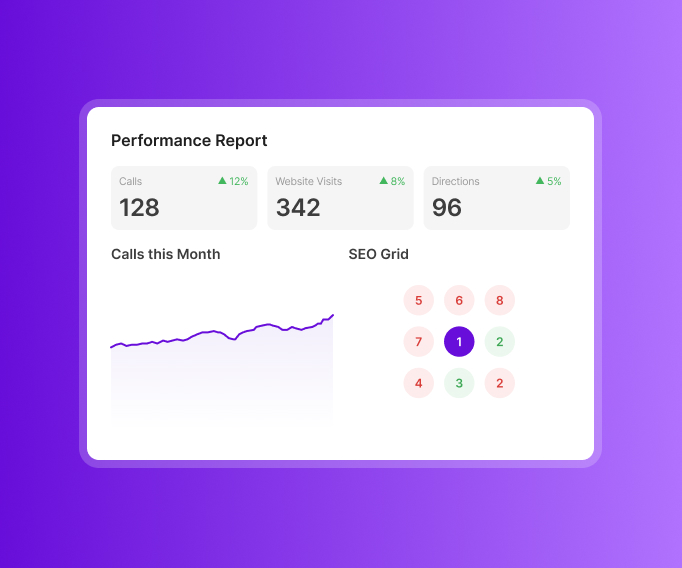
- Track calls, website visits, and direction requests across the date range you choose.
- Review star-rating trends and sentiment around punctuality, workmanship, value for money, and other attributes.
- Use group reporting to connect calls, visits, and reviews when a staff member or crew member is mentioned.
- Use competitor analysis to see where you rank on Google Maps across the service area and which businesses appear above or below you in different neighborhoods.
Local Website
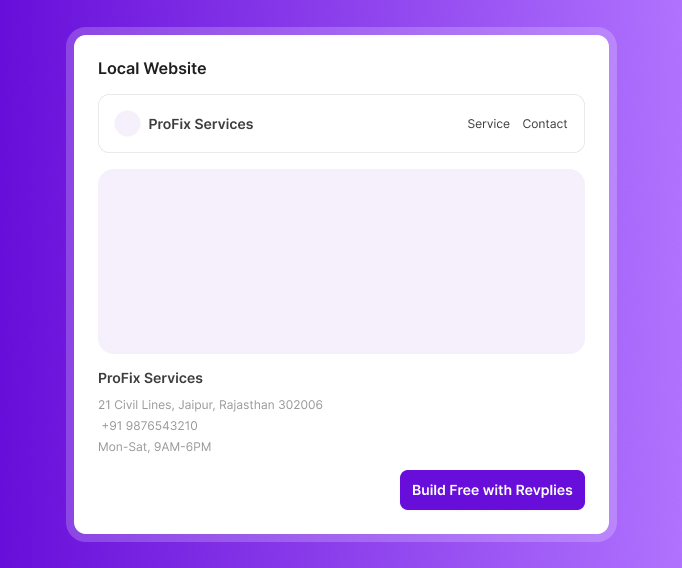
Businesses without a website can get one through Revplies at no extra cost on any plan.
- Include service hours, business information, and service details from the start.
- Give customers a simple place to understand your services before they call.
- Local schema is included to add structured information that can support search visibility.
Ready to Grow Your Service Area Businesses Business on Google?
Start 14 Days FREE Trial →No Card Required • Cancel Anytime
How Google Business Profile Management Works for Different Service Area Businesses

 02.Google Business Profile management for Electricians
03.Google Business Profile management for HVAC Companies
04.Google Business Profile management for Roofing Companies
05.Google Business Profile management for Cleaning Services
06.Google Business Profile management for Landscapers
07.Google Business Profile management for Pest Control Companies
08.Google Business Profile management for Movers
09.Google Business Profile management for Locksmiths
10.Google Business Profile management for General Contractors
11.Google Business Profile management for Painters
12.Google Business Profile management for Handyman Services
13.Google Business Profile management for Appliance Repair Services
14.Google Business Profile management for Garage Door Services
15.Google Business Profile management for Junk Removal Services
16.Google Business Profile management for Pool Services
17.Google Business Profile management for Mobile Auto Services
18.Google Business Profile management for Home Inspection Services
02.Google Business Profile management for Electricians
03.Google Business Profile management for HVAC Companies
04.Google Business Profile management for Roofing Companies
05.Google Business Profile management for Cleaning Services
06.Google Business Profile management for Landscapers
07.Google Business Profile management for Pest Control Companies
08.Google Business Profile management for Movers
09.Google Business Profile management for Locksmiths
10.Google Business Profile management for General Contractors
11.Google Business Profile management for Painters
12.Google Business Profile management for Handyman Services
13.Google Business Profile management for Appliance Repair Services
14.Google Business Profile management for Garage Door Services
15.Google Business Profile management for Junk Removal Services
16.Google Business Profile management for Pool Services
17.Google Business Profile management for Mobile Auto Services
18.Google Business Profile management for Home Inspection Services
Frequently asked Questions (FAQ's)
Fake locksmith and HVAC listings with call-center numbers are outranking us and scamming customers. How do we report them?


This is one of the worst spam problems on Google Maps right now, especially in locksmith and HVAC, these are fake listings run by lead-gen call centers that reroute the call and sell it to whoever bids highest. Report each listing individually using Suggest an Edit and mark it as fake business or spam, but honestly the faster route is filing through the Google Business Redressal form with proof like reverse-lookup of the phone number showing it's a VOIP or call center line. Don't expect quick results though, sometimes it takes multiple reports over weeks before Google actually takes it down.
We operate out of a truck with no public storefront. Should we hide our address and list service areas instead, and will that hurt our rankings?
Yes you should hide the address, Google has a specific setting for this service-area business where you enter your real address privately just for verification purpose but it won't show publicly to customers. It does not hurt your ranking in the way people assume, what actually affects ranking more is how accurately you fill in your service areas and the categories, a hidden address business can still rank fine in map pack if everything else is set up right.
Is it better to list specific cities we serve or use one large service radius for map pack rankings?
Specific cities almost always work better than one big radius. When you list individual cities or zip codes Google can match your business more precisely to local searches happening in those exact areas, but a large blanket radius tends to dilute your relevancy signal and Google may not show you as strong for any one particular location. Most local SEO people recommend listing out each city by name even if it's more tedious to set up initially.
A residential address with no signage is getting flagged as spam by Google. What triggers that?
Google's system automatically flags addresses that don't show clear signs of being a legitimate business location, no visible signage, no separate business entrance and sometimes even just being in a residential zone can trigger the automated spam filter. If you genuinely operate from home you need to make sure category and business description clearly reflect it's a service-area business without walk-in customers, and if you do have some signage or a dedicated space add photos of that during verification to prove it's real.
We show a large 50-mile service radius and now we're not appearing in nearby towns. Why did that backfire?
This happens more often then people expect, when you set the radius too wide Google's algorithm actually interpret it as less locally relevant to any specific town within that radius, so instead of ranking well everywhere you end up ranking weaker across the board including towns close to you. Bring the radius down to a more realistic range, like the towns you actually service regularly, and you'll likely see better visibility in those nearby areas again.
Lead-generation sites are impersonating our business phone number and rerouting customer calls. How common is this, and how can we stop it?
Unfortunately this is pretty common specially in industries like locksmith, HVAC and towing where lead-gen is aggressive. These sites scrape your business number and info then reroute calls or straight up replace your number with theirs on directory sites. First step, do a search of your business name and number to see where all it's appearing incorrectly, then contact those directories directly to request correction or removal, and for Google specifically report it as inaccurate info through Suggest an Edit or the Help Center since impersonation like this violates their guidelines directly.