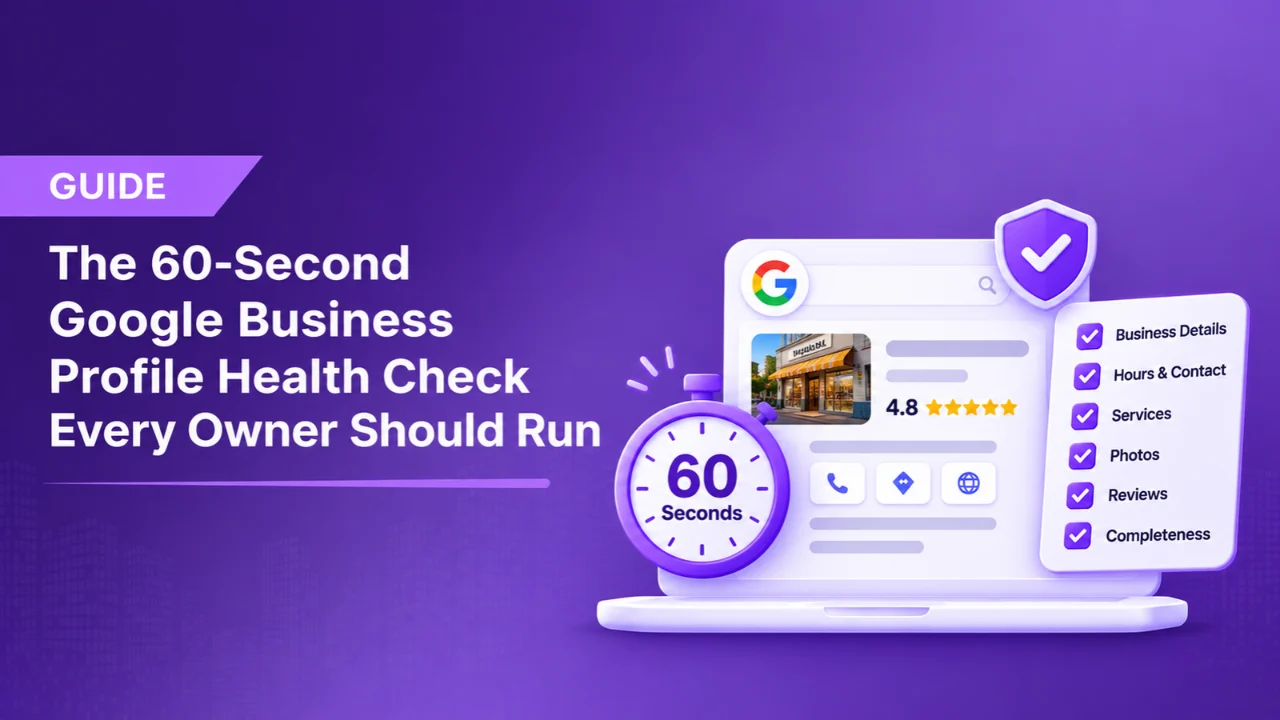
The 60-Second Google Business Profile Health Check Every Owner Should Run
Your Google Business Profile is often the first thing customers see. A quick 60-second check can help you spot outdated details, missing photos, incorrect hours, and unanswered reviews keeping your profile accurate and trustworthy.
Published on:
Updated on:
Published on:
Last Updated on:
Blog
Summary
Unable to load the audio. Please check the audio file URL.
A Google Business Profile is often the first thing customers see before visiting or contacting a business. But outdated hours, incorrect contact details, missing photos, or unanswered reviews can create a poor first impression. A quick 60-second check can help you identify these issues and keep your business information accurate.
1. Why Your Google Business Profile Needs Regular Attention
Think about the last time you searched for a restaurant, hospital, salon, or service provider on Google.
What did you check first?
Most likely, you looked at the business name, location, opening hours, phone number, photos, and customer reviews.
Your potential customers do the same thing.
A Google Business Profile is more than an online business listing. It helps people understand what your business offers, where it is located, when it is open, and what other customers think about it.
However, many business owners create their profiles once and rarely check them again.
Over time, important information can become outdated. Phone numbers change, business hours are modified, new services are introduced, and customer reviews remain unanswered.
These small issues can affect how customers perceive your business.
You don’t need an hour to perform a basic health check. You can review the most important areas in just 60 seconds.
Let’s break it down.
2. The 60-Second Google Business Profile Health Check
Here are six quick checks every business owner should perform.
Business Name and Primary Category
Start with your business name and primary category.
Ask yourself two questions:
- Is my business name exactly the same as it appears in the real world?
- Does my primary category accurately describe what my business does?
For example, if you operate a dental clinic, your primary category should represent a dental practice rather than a broad category that doesn’t clearly describe your services.
Your category helps Google understand what your business offers and which searches may be relevant to your profile.
Avoid adding unnecessary keywords, locations, or promotional phrases to your business name. Your name should reflect your actual business identity.
Address, Phone Number and Business Hours
Next, check your contact information.
Imagine a customer finds your business on Google, calls the listed number, and discovers that it is no longer active.
Or they visit your location because Google shows that you’re open, only to find the business closed.
Check the following:
- Is your business address correct?
- Does the map pin point to the right location?
- Is your phone number working?
- Are your regular opening hours accurate?
- Have you updated holiday or special hours?
If your business serves customers at their locations instead of receiving them at a storefront, make sure your service area is also accurate.
This information should reflect how your business actually operates.
Business Description and Services
Your business description should help customers understand what you do without making them search for additional information.
Check whether your description clearly explains:
- What products or services you offer.
- Who your services are intended for.
- What makes your business different.
- How long you have been operating, if relevant.
Also, review your listed services.
For example, a salon might offer haircuts, hair colouring, skincare, and bridal makeup. If some of these services are missing, customers may not realise that the business provides them.
Keep the information relevant and accurate. Avoid stuffing keywords into descriptions or adding promotional claims that don’t help customers understand your business.
The objective is simple: when someone opens your profile, they should quickly understand what you offer.
Photos and Videos
Would you visit a business without having a clear idea of what it looks like?
Photos help customers recognise your business and understand what they can expect.
Check whether your profile includes:
- An updated logo.
- A suitable cover photo.
- Clear exterior and interior photographs.
- Images of your products or services.
- Recent photographs that reflect your actual business.
For example, a restaurant should show its food, seating arrangements, and overall atmosphere. A hotel should showcase its rooms, facilities, and common areas.
Try to avoid outdated photographs, low-quality images, or visuals that no longer represent your business.
You don’t need to upload new photos every day. Just make sure your existing images accurately represent your current business.
Customer Reviews and Responses
This is one of the most important checks.
Open your review section and look at the latest customer feedback.
Are there any unanswered reviews?
Have negative reviews received a thoughtful response?
Are customers mentioning recurring problems that your team should investigate?
Customer reviews offer valuable information about how people experience your business.
Responding to reviews also shows customers that you pay attention to their feedback.
A good response should acknowledge the customer’s experience, address their concern where appropriate, and maintain a professional tone.
Avoid using the same generic response for every review. A customer who appreciates your service deserves a different response from someone who experienced a problem.
Regularly checking reviews also helps you identify service issues before they become bigger problems.
Profile Activity and Overall Completeness
Finally, take a quick look at your overall profile.
Check whether important information is missing and whether your profile is being maintained regularly.
You can also look for Google’s Profile Strength indicator, which can highlight missing information and suggest ways to improve your profile.
Check whether:
- Your business information is complete.
- Your latest updates are relevant.
- Your photos accurately represent the business.
- Your contact information is working.
- Your profile has no unresolved issues requiring attention.
If your profile is verified, you can also review its performance data to understand how customers discover and interact with your business.
This gives you a starting point for identifying areas that deserve a closer look.
How Healthy Is Your Google Business Profile?
Use this quick checklist to assess the six important areas of your profile. Tick each item if it is accurate and up to date.
Your Profile Health Assessment
This is a self-assessment checklist, not an official Google score or ranking assessment. The timer is optional; you can complete the checklist at your own pace.
3. What If You Find Something Wrong?
Completing the health check is only the first step. The next step is fixing the issues you identified.
Here are a few examples of what you should do:
Common Profile Issues and Their Fixes
- Incorrect business hours: Update regular or special hours.
- Wrong phone number: Add the correct working number.
- Incorrect category: Select the most relevant category.
- Missing services: Add your actual products or services.
- Outdated photos: Upload recent, genuine business photos.
- Unanswered reviews: Review feedback and respond appropriately.
- Incomplete information: Fill in relevant missing details.
Remember that Google may review profile edits before they appear publicly. So, don’t assume that every change becomes visible immediately.
You can manage these details directly through your Business Profile on Google Search or Google Maps.
4. Does a Healthy Profile Automatically Mean Better Rankings?
Not necessarily.
Having complete and accurate information is important, but it doesn’t guarantee that your business will appear at the top of Google Maps results.
Google explains that local rankings are primarily influenced by three factors:
1. Relevance
How closely your business profile matches what someone is searching for.
2. Distance
How far your business is from the person performing the search.
3. Prominence
How well-known your business is, based on information such as reviews, ratings, and other signals across the web.
This is why simply updating your business description or uploading a few photographs may not be enough to improve visibility.
You also need to understand your competitors, the searches customers use, the quality of your website, and how your business performs in different locations.
A health check helps identify basic problems. A broader optimisation strategy helps address the bigger challenges.
These improvements are also an important part of Local SEO, where the objective is to improve your business’s visibility in relevant local searches.
5. Why Businesses With Multiple Locations Need More Attention
Managing one business profile is relatively straightforward.
But imagine operating 10, 20, or 50 outlets.
Each location may have different opening hours, phone numbers, photographs, customer reviews, and service information.
Checking every profile manually can become time-consuming.
Worse, one location might have complete information while another has outdated details or unanswered reviews.
This is where businesses need a structured approach.
- Monitor information across all locations.
- Identify incomplete or outdated profiles.
- Track customer reviews and responses.
- Maintain consistent brand information.
- Compare performance between branches.
- Identify locations that need additional attention.
For growing businesses, a dedicated Local SEO for Multi-Location Business strategy helps maintain consistency while addressing the individual requirements of each outlet.
The objective should not be to make every location identical. It should be to ensure that every location provides accurate information and a consistent customer experience.
6. How Often Should You Run This Health Check?
A quick check is useful, but it shouldn’t replace regular profile management.
Here’s a simple schedule that business owners can follow:
Daily
Check new customer reviews and important customer feedback.
Weekly
Review recent profile activity, photos, and updates.
Monthly
Verify business information, services, and overall profile completeness.
Whenever Something Changes
Update business hours, contact details, address, or services as required.
For businesses with multiple outlets, assign responsibility to specific team members so that no location is overlooked.
Consistency matters more than making frequent changes without a clear purpose.
7. The Bottom Line: Don’t Let Small Profile Issues Cost You Customers
Your Google Business Profile is often the first interaction a potential customer has with your business.
Incorrect information, outdated photographs, and unanswered reviews may seem like minor issues, but they can influence whether someone decides to contact you or visit your location.
A 60-second health check gives you a simple way to identify these problems before they become bigger concerns.
However, remember that this is a quick screening process, not a complete ranking audit. If your profile looks healthy but your business still struggles to appear in relevant local searches, you may need a deeper analysis of competitors, location-specific visibility, website performance, and customer reviews.
Because better online visibility starts with getting the basics right.
Frequently Asked Questions
1. What is a Google Business Profile health check?
It is a quick review of your business information, category, contact details, opening hours, photos, services, reviews, and profile completeness to identify missing or outdated information.
2. How often should I check my Google Business Profile?
A quick review can be performed weekly, with a more detailed check every month. Business hours and contact details should be updated whenever changes occur.
3. Does completing my Google Business Profile improve rankings?
Complete and accurate information can help Google understand your business and match it with relevant searches. However, rankings also depend on distance, prominence, competition, and other factors.
4. Can I manage multiple Google Business Profiles together?
Yes. Businesses with multiple eligible locations can use centralised management processes and tools to monitor information, reviews, and performance across their locations.
5. Is a 60-second health check enough for complete profile optimisation?
No. It is a quick way to identify basic issues. A complete optimisation process requires deeper analysis of search visibility, competitors, reviews, website relevance, and location-specific performance.
Is Your Google Business Profile Fully Optimised?
Find out what’s missing from your business profile and identify opportunities to improve your online presence.
Get Your Free Audit →
Recent Blogs
-
One Dashboard Change, 40% Fewer Unanswered Reviews
One Dashboard Change, 40% Fewer Unanswered Reviews – What We…
-
How 12 Locations Reached the Google Map Pack
How a 12-Location Chain Went From Page 2 to the…